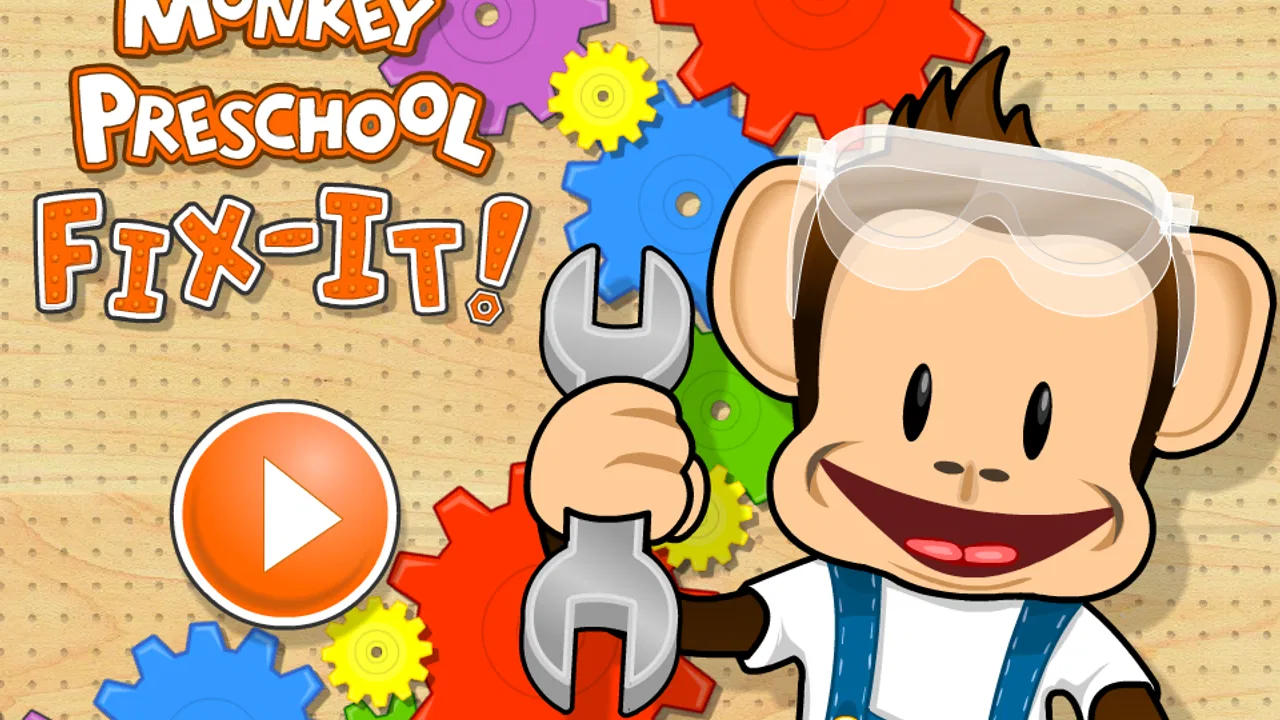
Monkey Preschool Fix-It
- 4.5
- Rating
- 10.00K
- Installs
- $4.99
- Price
 Analysis by App-foxy
When I first opened Monkey Preschool Fix-It, I understood its appeal almost immediately: it asks a young child to do something simple, shows what happened right away, and makes the next small task feel inviting. This is an educational game from THUP Games for children between two and five, built around playful fixing activities rather than lessons that feel like worksheets. I found it easiest to appreciate when I stopped expecting a traditional game and watched it as a guided early-learning experience.
The central question for parents is not whether it has enough content to occupy a child for hours. It is whether the short action-and-response cycle is clear, friendly, and useful for a preschooler. In my experience, that is where this game makes its strongest case. A child can try an action, see an immediate reaction, receive a cheerful sense of completion, and then decide whether to continue. That rhythm gives the game its character and also explains its limits.
How the fix-it loop works for a young child
I focus here on the small decisions that make the experience work for a preschooler: noticing what needs attention, trying an action, and seeing its effect. In my experience, an adult’s calm presence can help a child understand that loop without taking over. That matters most during the first few minutes, when a child is still learning how to approach the screen.
You May Also Like

 Pandora - Music & Podcasts
Pandora’s Music Is Easy to Start, but Harder to Recover
Pandora’s strength is its low-effort path from a seed to a station. Its weak spot is how much confidence it asks you to place in connection, setup, and quiet recovery.

 AccuWeather: Weather Radar
AccuWeather Review: A Quick, Clear Forecast for Everyday Decisions
For everyday plans, the best forecast is the one you can understand quickly. AccuWeather makes rain timing, radar, and local conditions easy to act on, with a few trade-offs.

 Hill Climb Racing
Why Hill Climb Racing Still Turns Crashes Into One More Run
A tiny car, a bumpy hill and one more upgrade: Hill Climb Racing keeps resurfacing because its simple chaos makes every near-miss feel personal.

 AliExpress - Shopping App
AliExpress Makes Global Shopping Feel Personal, but Shoppers Bear the Risk
AliExpress turns a global marketplace into a pocket-sized discovery engine. Its reach is useful, its shopping loop compelling, and its trade-offs easy to miss.

 Lords Mobile: Kingdom Wars
Lords Mobile Is a Kingdom-Building Routine, Not a Quick Match
A case-by-case verdict on the building, battles, device demands, and social commitments that make Lords Mobile rewarding for some players and exhausting for others.

 PDF Scanner app - TapScanner
TapScanner Makes Paperwork Easier to Capture, Check, and Share
TapScanner makes scanning with a phone feel less like a rescue operation and more like a dependable step in getting work done. Its capture tools are useful, though not flawless.
More From Our News Desk
View All News


The first action is deliberately easy to understand
The opening interaction matters a lot at this age. A two-year-old may not read instructions, remember a sequence, or understand a complicated objective. The game therefore works best when the child can learn by looking at the scene and trying a direct touch or movement. I would sit beside a child for the first session, not because the basic idea is difficult, but because a little encouragement helps connect the action with the result.
That first attempt is more important than it may seem. Preschool children are practicing several things at once: noticing a visual clue, deciding what to touch, controlling a finger on the screen, and waiting to see whether the choice worked. A game that rushes these steps can become frustrating. Here, the fixing theme gives the child a reason to investigate. The activity feels like helping a character rather than answering a test question.
I also like that the premise is concrete. “Fix it” is easier for a young child to understand than an abstract instruction about sorting, sequencing, or problem solving. Parents can use the action as a conversation starter: ask what looks wrong, what might help, and what changed afterward. That turns a brief screen activity into a small language exercise without making the child feel quizzed.
There is a useful trade-off here. The simplicity makes the game approachable for very young players, but an older preschooler who already handles tablet games confidently may understand the basic interaction quickly. I would choose it for a child who benefits from clear goals and gentle repetition, not for a child seeking complex puzzles or a long adventure.
Immediate feedback keeps the cause and effect visible
The feedback rhythm is the heart of the experience. A child performs an action and receives a response soon enough to connect the two. That connection is valuable because preschool learning often depends on repetition with visible consequences. Instead of explaining an answer in words, the game lets the child observe that a suitable action changes the situation.
In practical use, I found this more effective when I allowed the child to try before offering help. It is tempting for an adult to point at the correct place, especially when the child pauses. Doing that too quickly removes the useful part of the activity: looking, guessing, and adjusting. A better routine is to give the child a moment, ask a neutral question, and only then demonstrate if needed.
The feedback also supports persistence. A failed attempt does not have to become a dramatic setback; it can simply be another clue. That matters for children who give up quickly when an app marks answers as wrong. The fixing context makes experimentation feel natural, and the child can return to the task without carrying the emotional weight of a mistake.
Parents should still pay attention to the individual child. Some children will enjoy repeating an interaction until they feel fully in control. Others may tap rapidly and move on without noticing the details. With the second group, I would slow the session down by naming what happened: “You touched that, and now this changed.” That small comment helps turn fast tapping into observation.
The reward is the feeling of completion, not a complicated prize system
The reward works because the child can see that the problem has been resolved. Completion is satisfying in itself, especially when the child has caused the change. I prefer this kind of reward for early learning because it keeps attention on the action and its result instead of making the child chase a large collection of points or competitive rankings.
That does not mean every child will respond in exactly the same way. A child who expects elaborate unlocks, racing, or collectible systems may find the experience quiet. For the intended preschool audience, however, a clear sense of “I helped” can be enough to encourage another attempt. I noticed that the most natural praise from an adult is specific rather than exaggerated: “You found what needed fixing,” or “You tried a different way.”
One practical tip is to avoid turning every completed activity into a performance review. If a parent applauds every tap, the child may begin looking to the adult instead of the screen for confirmation. Let the game provide its own response, then add occasional language that highlights the process. This keeps the child’s attention on exploration and gives the parent a way to reinforce useful habits such as patience and noticing details.
The reward is also connected to the game’s educational category. It does not teach through a lecture. It uses a small action, an observable result, and repetition to support early problem solving and hand-eye coordination. I would not treat it as a complete preschool curriculum, but it can fit neatly into a short learning routine before a meal, during travel, or while a parent needs a calm activity nearby.
Resetting the session gives the child a reason to begin again
A good preschool game needs a reset that feels inviting rather than punishing. After a task is complete, the child should be able to move toward another activity or repeat the experience without a complicated menu. That return to the beginning is what creates the “one more time” feeling. The child is not necessarily chasing a higher score; another session begins because the interaction was understandable and satisfying.
This is where I would set realistic expectations. The game is better suited to short, repeated visits than to one long sitting. A parent may see a child enjoy it for a few minutes, put the device down, and come back later. That is not a weakness by itself. For this age group, stopping before attention collapses is often the healthier outcome.
Still, the reset can expose the difference between a preschool activity and a conventional game. Children who want constant novelty may tire of repeating a familiar pattern. I would use it as one option in a small rotation, alongside physical toys, drawing, books, and movement. Its strength is the clarity of the loop, not endless variety.
For a family routine, I would make the reset part of the boundary. Let the child complete a task, choose whether to try another, and then close the game at a natural stopping point. Because the activity is not built around a dramatic cliffhanger in the way some entertainment games are, it is easier to end without making the child feel that an important story has been interrupted.
What the action-feedback-reward cycle teaches in practice
Viewed as a complete loop, the design is straightforward: the child notices something, acts on it, receives feedback, experiences completion, and starts again because the next small challenge feels manageable. That structure is especially suitable for children who are just becoming comfortable with touchscreens. It offers enough agency to feel like play while keeping the task understandable.
I found three less obvious ways to get more from it. First, use it as a vocabulary prompt. Ask the child to describe the problem before touching the screen, then describe the result afterward. Second, let the child hold the device and make the decision while the adult provides only verbal support; this turns assistance into guided independence. Third, watch for whether the child is responding to the visual situation or simply tapping everywhere. If it is the latter, pause and narrate one detail before continuing.
These approaches reveal both the strength and the boundary of the game. It can support attention, simple reasoning, and controlled interaction, but the learning value depends partly on how the child engages. A child left to tap quickly may experience it mostly as animated entertainment. A child encouraged to observe and explain can get more cognitive value from the same short activity.
Who will enjoy it, and where it may fall short
I would recommend this game most readily to parents of toddlers and younger preschoolers who want a calm, approachable educational title. Its Everyone age rating fits the family setting, and the early-learning focus makes it a more sensible choice than a fast action game when the goal is a brief, purposeful screen session. It is also a reasonable option for a child who becomes discouraged by wrong-answer sounds or complicated instructions.
The listed price is $4.99, so I would think of it as a paid, focused activity rather than a free sampler. That price makes more sense for a family that values a simple experience without wanting the child pushed toward competition. Before buying, I would consider how often the child enjoys repeating familiar interactions. If the answer is “not often,” a broader activity collection may offer better value.
The game has an average rating of 4.5 from around 426 ratings, and it has passed the ten-thousand-install mark. Those figures suggest that it has found a real audience, but they should not replace watching how a particular child responds. Preschoolers differ widely in patience, motor control, and appetite for repetition. A well-reviewed early-learning game can still be a poor fit for a child who needs physical play, open-ended creativity, or more advanced challenges.
On the technical side, the current version is 1.73 and it requires Android 6.0 or later. That is worth checking before installing on an older family device. I would also test the game myself before handing over the tablet, especially if the child is very young. The first adult check is useful for seeing how the controls feel in the child’s hands and for deciding whether the activities match the child’s current ability.
Compared with ordinary preschool alternatives, this title sits between a picture book and a puzzle game. It is more interactive than simply watching a video because the child must choose an action, but it is less open-ended than drawing or building with digital blocks. Compared with a broad learning suite, it is narrower and easier to understand. That focus is helpful for a first tablet experience, while a larger suite may be better for families looking for letters, numbers, music, stories, and several difficulty levels in one place.
I would skip it if your main goal is structured literacy or numeracy practice. The fixing loop may support general thinking and coordination, but it should not be mistaken for a full reading or mathematics program. I would also look elsewhere if your child is already comfortable with complex touch controls and needs deeper puzzles. In that situation, the game may feel too gentle after the novelty fades.
Another realistic use case is a waiting room or a quiet transition between activities. A parent can offer a short session, sit close enough to talk through one or two actions, and stop before the child becomes overstimulated. I would not use it as a substitute for interaction every day. Its best role is as a small tool that opens a conversation and gives the child a manageable problem to solve.
My final view is positive but measured. THUP Games has built an early-learning game around a loop that preschool children can understand: do something, see the effect, enjoy finishing, and begin another small task. That clarity is its main advantage. The experience is not designed to satisfy older children who want depth, competition, or constant novelty, and parents should not expect it to replace broader educational activities.
For the right child, though, the simplicity is exactly the point. I would recommend it to a parent looking for a friendly first step into interactive learning, especially when the adult is willing to sit nearby and turn each fix into a chance to notice, describe, and think. Its strongest feature is the dependable action-feedback rhythm: the child is given a reason to try, a clear response to that attempt, and a comfortable reason to return for another session.
FAQs for Monkey Preschool Fix-It
01What is Monkey Preschool Fix-It?
Monkey Preschool Fix-It is an educational game for young children that introduces basic problem-solving through playful repair activities. Kids help a friendly monkey fix different objects by completing simple tasks, such as choosing tools, matching pieces, and following visual instructions. The activities are designed to feel like interactive play rather than formal lessons, making the app suitable for preschoolers who are beginning to explore cause and effect.
02What age group is Monkey Preschool Fix-It suitable for?
The game is mainly intended for preschool-aged children, generally around two to five years old, although the ideal age can vary depending on a child’s motor skills and familiarity with touchscreen games. Its colorful interface, short activities, and limited reading requirements make it accessible to children who may not yet read independently. Parents should still try the game themselves to determine whether its difficulty matches their child.
03What skills can children practice with Monkey Preschool Fix-It?
Monkey Preschool Fix-It can help children practice several early-learning skills through hands-on activities. These include recognizing shapes and objects, matching items, following sequences, improving hand-eye coordination, and understanding simple problem-solving steps. The game also encourages attention and patience because children need to observe what is wrong and select an appropriate action. It is best viewed as a playful supplement to learning, not a replacement for guided preschool education.
04Is Monkey Preschool Fix-It safe and suitable for children?
The app is designed for young children, with a simple interface and gameplay focused on exploration rather than competition. Before handing over a device, parents should review the current store listing and the app’s privacy information, because policies and permissions can change between versions. It is also sensible to check whether the installed edition includes advertisements, external links, or optional purchases, and to use parental controls where available.
05Does Monkey Preschool Fix-It require an internet connection or include in-app purchases?
The core activities may be playable without a continuous internet connection after installation, but this can depend on the platform, app version, and how the game delivers additional content. Availability of advertisements, purchases, or downloadable features may also vary by edition. Parents should check the Google Play or App Store listing before downloading, confirm the required permissions, and disable purchasing on the device if children will play without supervision.
Pros
- Simple repair tasks help develop early problem-solving skills.
- Bright animations and playful characters keep preschoolers engaged.
- Touch controls are easy for young children to understand.
- Short activities suit brief play sessions and limited attention spans.
- Encourages exploration without requiring reading or advanced instructions.
Cons
- Some activities may feel repetitive after several play sessions.
- The preschool content offers limited challenge for older children.
- Adult guidance may be needed when children first learn the controls.
- Progression may seem too short for families seeking a larger game.
- Compatibility and performance can vary on older mobile devices.

Monkey Preschool Fix-It
Gallery